Finally - a smarter way to shop online.

Find exactly what you're looking for.

Buyka is a dedicated app for online shopping. Every purchase gets its own tabs, saved items, and price history - so you can enjoy the search and buy knowing you found the best option.

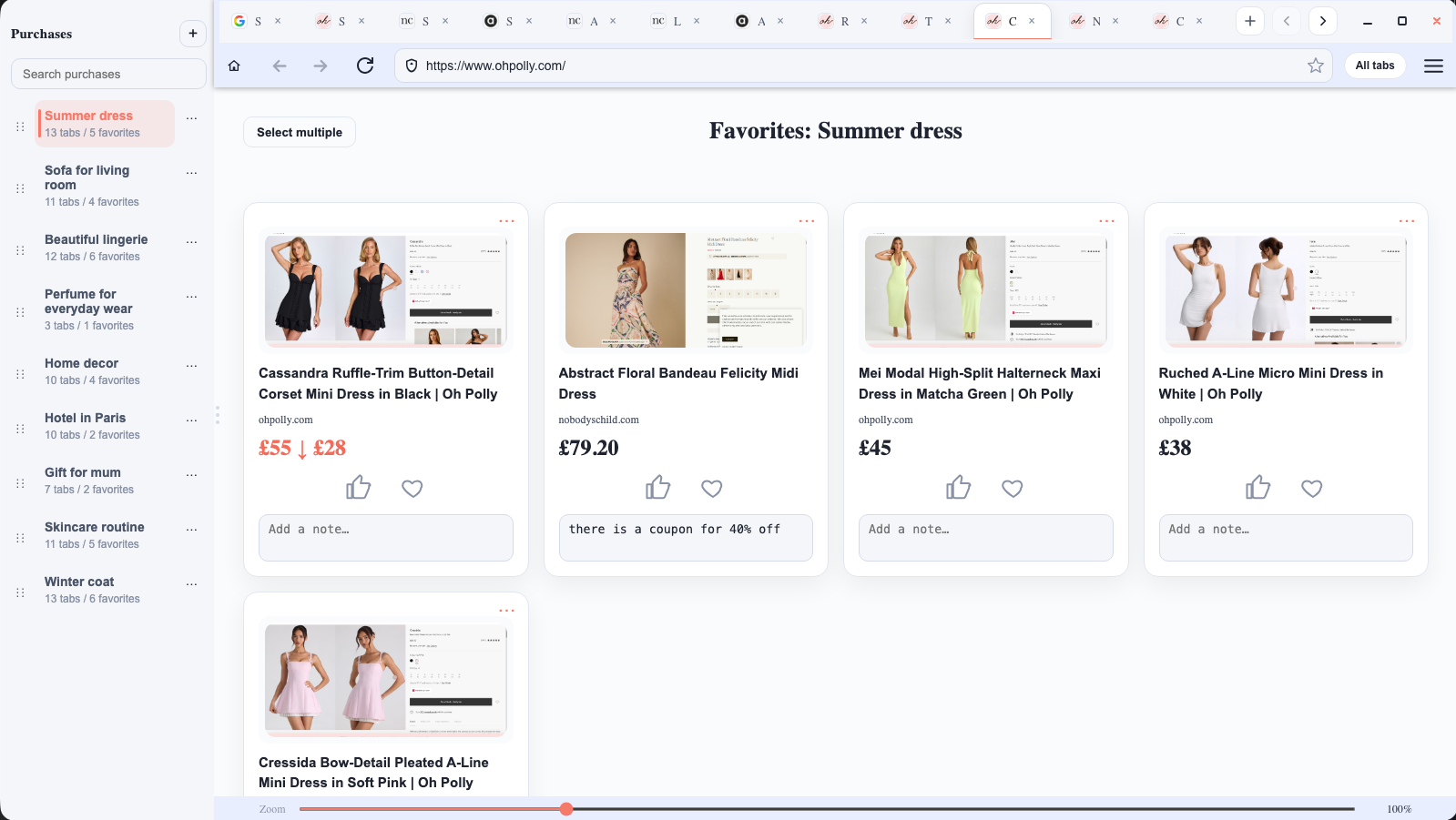
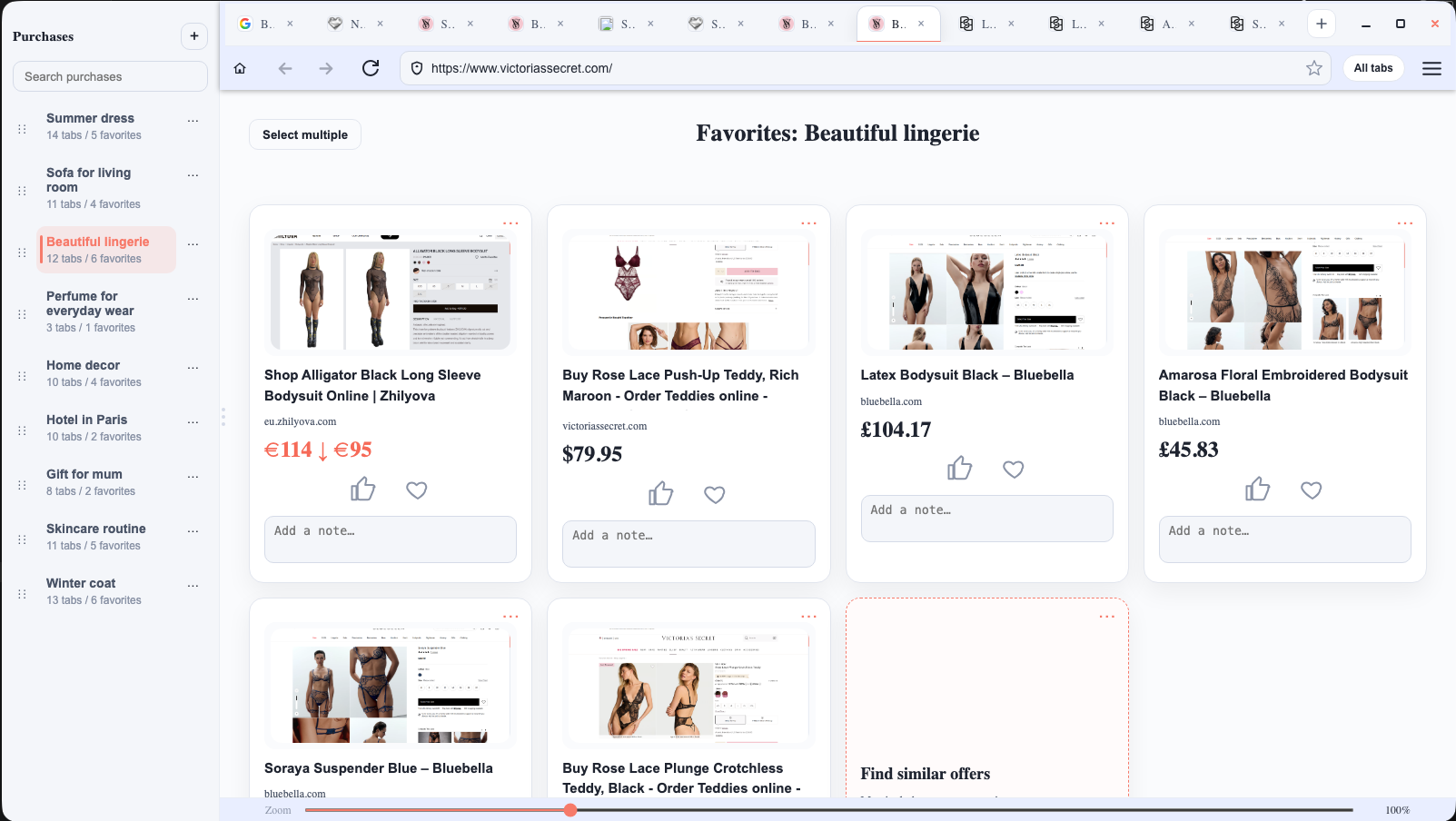
Buyka app – separate workspaces for each online purchase
Currently available for Windows · Mac version coming soon

Free · No account required · Works alongside your regular browser

Sound familiar?

I know I saw something perfect...

You saw it, you loved it, you moved on to compare - and now you can't find it anywhere. That feeling is the worst.

Was this the good one or the cheap one?

You saved three options but now you can't remember which one had better reviews and which had free shipping. So you start comparing all over again.

What if I missed a better deal?

You're about to buy - but what if the price dropped since you first saw it? Or there's a coupon you didn't find? That doubt stops you right at the finish line.

Too many browser tabs open while shopping online

Buyka helps you find the best option - and actually buy it.

One app. Every purchase organised. No second-guessing.

01

One purchase, one place

"Gift for mum", "Summer sandals", "New sofa" - each shopping goal lives separately, with its own tabs and saved items. Nothing bleeds into anything else.

02

Save the best, close the rest

Tap the heart to save a product to Favorites. Close the tab. Buyka remembers it - including the price, so you'll know immediately if it got cheaper or if you should buy now.

03

Reviews and comparisons in one click

Found two great options and can't choose? Ask AI to compare them. Get a clear answer instead of going in circles.

04

Save money without hunting for it

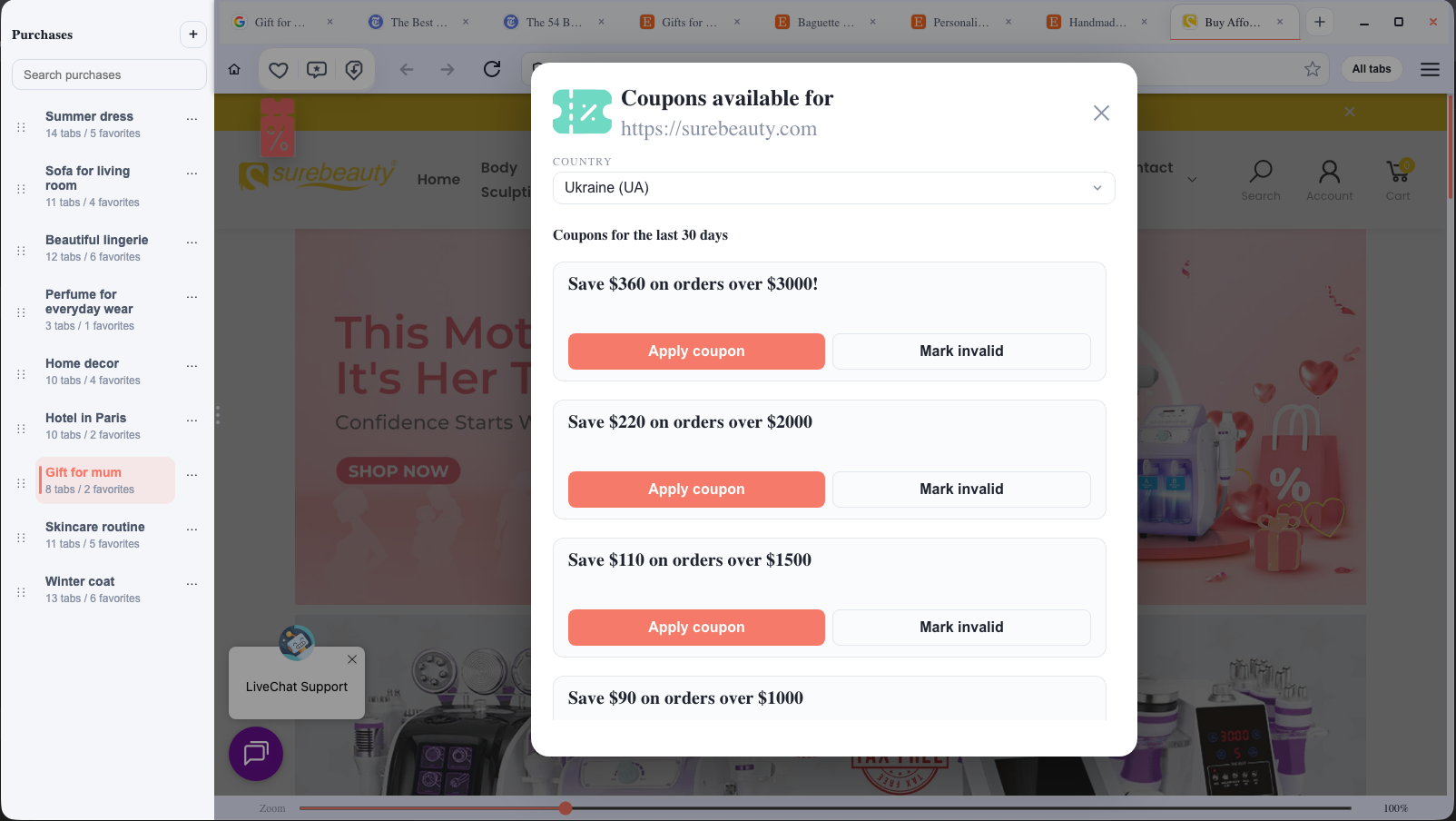
If there's a coupon for the store you're browsing, Buyka will find it for you. More budget for the next purchase.

See it in action

A quick look at how Buyka actually works - from first tab to final decision.

Separate purchases

Switch purchases and keep each shopping context organized.

How it works

1

Name your shopping goal

Create a purchase - "Birthday gift for dad", "Running shoes", "Hotel in Lisbon". This becomes your organised space.

2

Browse and save the best options

Open store pages inside that purchase. Save strong candidates to Favorites with one click - and close everything else without fear of losing it.

3

Compare, check reviews, buy with confidence

Use one-click tools to read reviews, compare your shortlisted options, or check if there's a lower price somewhere. When you know you've found the best option - that's when you buy.

Buyka is for you if...

🛍️You love exploring options - and want to make sure you've found the best one before you buy.
🎁You're shopping for several things at once - a gift, something for home, something for yourself - and want each one in its own organised place.
You take your time choosing - comparing over days or weeks - and want your shortlist waiting exactly where you left it.
🌍You shop across different stores or countries and want the best option - wherever it's sold.
Buyka – online shopping organizer app

Buyka

Built to be honest, not sneaky.

Buyka was built for people who enjoy shopping - and want to find the best option, not just any option.

No data selling, no fake urgency, no coupon spam. Just a better way to search, compare, and buy.

Coupons are opt-inNo intrusive adsYour data stays yours
Read Privacy Policy
Buyka coupon popup – automatic discount codes for online stores

Quick answers

Is Buyka free?

Yes, completely free to download and use. No hidden subscription, no premium tier - at least for now.

Do I need to create an account?

No. Download, install, start shopping. Nothing to sign up for.

Does Buyka see what I'm browsing?

Buyka works locally on your computer. We don't track your browsing or sell your data. Read the full privacy policy if you want the details.

Interface in 9 languages

Buyka is available in English, Ukrainian, French, German, Polish, Spanish, Italian, Dutch, and Norwegian.

EnglishУкраїнськаFrançaisDeutschPolskiEspañolItalianoNederlandsNorsk

Your next find is out there. Don't let it get away.

Download Buyka free and start finding exactly what you want.

Download free for Windows
Currently available for Windows · Mac version coming soon

Takes 2 minutes to install · No account needed · Works alongside Chrome, Edge, or any browser